


Touchgrind Skate 2
3.814.18K Reviews
App Specs
- Version
- 2.3.2
- Updated On
- License
- Free
- Downloads
- 50,000,000+
- Developer
- Illusion Labs
- Categories
- Sports
- Platform
- Android, iOS
Screenshots
 Analysis by AppCompare
When I want a skateboarding game that rewards small, deliberate gestures rather than quick taps, Touchgrind Skate 2 is an appealing choice. It turns the phone screen into a tiny board, asking my fingers to guide the deck through tricks and park obstacles. That makes it a very different kind of sports game: the challenge is not simply choosing a move, but learning how movement on the screen translates into a landing.
Finding your way around the miniature skatepark
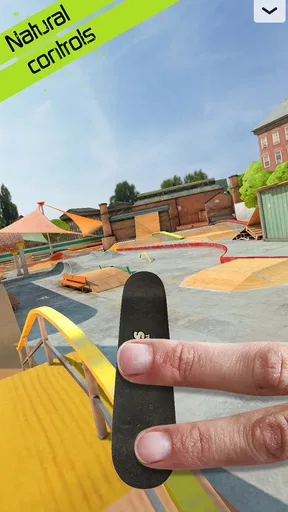
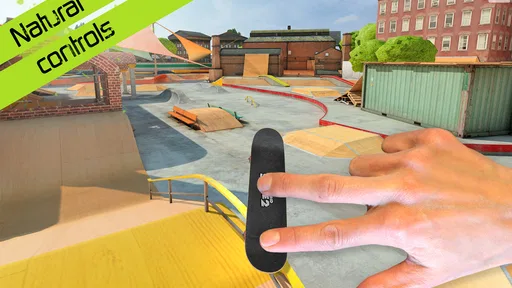
The first minutes are about understanding the interface and learning the two-finger controls. I would not call them difficult to access, but they are unusual enough that a new player benefits from taking the tutorial slowly instead of rushing into a challenge. The screen is the play area, so I have to watch the board and the surrounding obstacles while also keeping my fingers clear of the action. Once that basic relationship clicks, the controls feel purposeful rather than arbitrary.
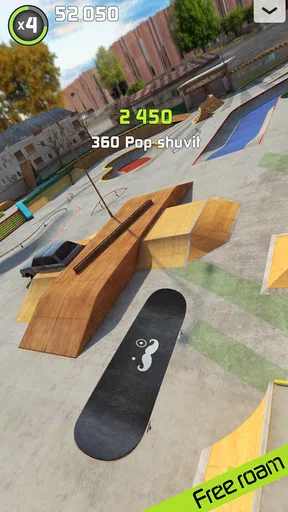
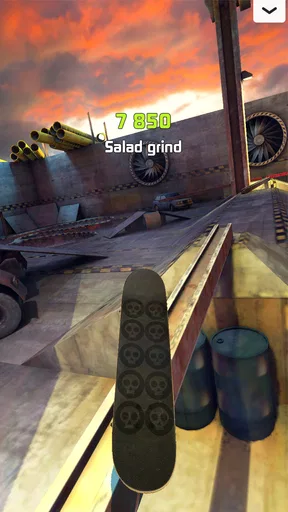
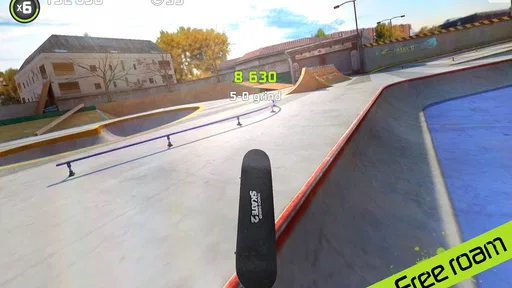
Visual detail helps make the parks inviting, and the ramps and board are easy to read as parts of a skating space. At the same time, the view is busy during a trick: I may be tracking the board, a rail, and the landing area together. If that kind of visual focus is tiring, shorter sessions and a less hurried approach make more sense than trying to chain tricks immediately. I find the game most comfortable when I give myself room to learn one movement at a time.
Two fingers, fine control, and a learning curve
The two-finger setup is the game’s defining strength and its clearest physical barrier. It gives me a more hands-on feeling than a conventional virtual joystick, but it asks for coordinated movement and precise timing. If you enjoy practising a gesture until it becomes consistent, that tactile demand can be satisfying. If repeated finger movements are uncomfortable, difficult, or unreliable for you, the same design may make the game frustrating rather than relaxing.
I recommend treating early attempts as experiments, not failed runs. Try a simple movement, notice how the board responds, and change one part of the gesture at a time. That is more useful than making several hurried adjustments at once, especially when you are still learning how to land. The controls reward patience, though they can feel unforgiving if you expect a skate game that handles the technical work for you.
Playing in the right setting
Because the action depends on touching the screen, I prefer playing somewhere I can hold the device steadily and give the display my full attention. A quiet break at home or a seat while waiting is a better fit than walking, multitasking, or trying to play in a crowded, unstable setting. The game can suit a short pause, but the precision involved means that interruptions may break my rhythm.
Touchgrind Skate is a free sports game from Illusion Labs, with a 3.8 average from around 305,000 ratings and more than 50 million installs. It is rated for Everyone, and the current version is 1.7.0. Optional in-app purchases range from $2.49 to $8.99 per item. I would start with the free experience and decide whether the style of play suits me before spending anything; the main question is whether I enjoy mastering the controls, not whether I want another set of unlocks.
Worth Reading Before You Choose

Flipboard Shows What News Apps Must Do Beyond the Feed

Switching to Android Auto Means Rethinking Your Driving Routine

Google Calendar Makes a Crowded Week Easier to Manage

Ludo King Makes the Most of the Minutes Between Plans

Baby Panda World Brings Quick Play to Modern Phones, but Its Game Library Feels Busy

ESPN’s Live Game View Makes Following Close Games Easier
Who will enjoy it—and who may prefer another game
This is a good pick for players who like skill-based sports games, finger-controlled tricks, and the satisfaction of improving through repetition. It also works for someone curious about skateboarding who wants a compact digital activity rather than a demanding outdoor session. The audience is broad, but the Everyone rating does not make the control style equally comfortable for every player or every ability.
If you want a relaxed skating game that does most of the balancing and trick execution for you, a title built around simple taps or automatic movement may be a better match. If you are choosing between this and a typical sports game with on-screen buttons, the trade-off is clear: Touchgrind gives you more direct control over the board, but asks more of your hands and attention. I would also skip it when I want a game that is easy to play one-handed or while watching something else.
A realistic use for me is a short practice session between errands: I can open a park, focus on a single trick or landing, and stop when I have had enough. To make that time useful, I pick one goal instead of trying to master every obstacle at once. Repeating the same approach helps me see whether a change in finger position or timing actually improves the result. That small practice routine is more satisfying than chasing a perfect run before I understand the basics.
Making practice less frustrating
One useful trade-off is to separate learning a trick from trying to score well. When I am still working out a movement, I pay attention to the board’s response and the landing rather than treating every attempt as a performance. Once the gesture feels more predictable, I can bring that confidence into challenges. This keeps the game’s precision from turning every early miss into a reason to quit.
It also helps to notice the physical setup around the game. A stable grip on the phone and a comfortable position for both hands make delicate movements easier to repeat. If my fingers start to feel tired, I stop rather than forcing another run; fatigue makes fine control less dependable. This is not a substitute for control options, but it is a practical way to judge whether a session is still enjoyable.
What the skating feels like once the basics click
Alright, folks, let's dive into my latest experience with an app that’s been a total game-changer for skateboarding fans on mobile. If you're someone who loves the thrill of flipping and spinning a skateboard without risking a trip to the ER, then Touchgrind Skate 2 might just be your virtual skatepark.
Getting Started with Touchgrind Skate 2
First things first, downloading Touchgrind Skate 2 is a breeze. Available on both Android and iOS, it’s a must-have for anyone looking to escape the mundane and shred through some digital ramps. Once installed, the app greets you with a sleek interface, making it easy to navigate even for newbies.
The tutorial is your starting point, and trust me, you’ll want to pay attention. The controls in this game are quite intuitive but require a bit of finesse. You’ll use two fingers to mimic your feet on the board, which, let me tell you, is a lot trickier than it sounds. But hey, that’s where the fun comes in!
The Skateboarding Experience
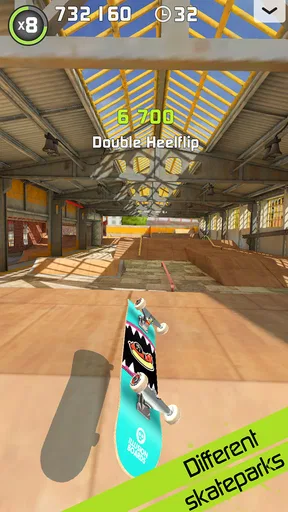
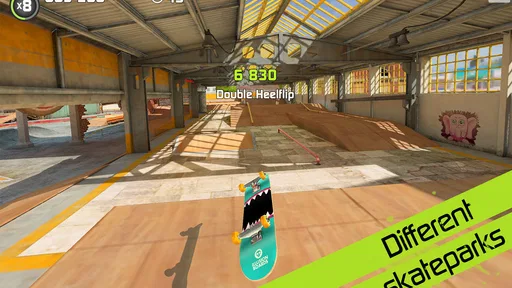
Once you’ve got the basics down, it's time to hit the skatepark. The game offers a variety of parks, each with its own unique challenges and obstacles. Whether you’re grinding rails or pulling off aerial stunts, the realistic physics will definitely keep you on your toes. I found myself getting lost in time, trying to perfect that impossible trick I dreamt of landing.
What makes Touchgrind Skate 2 stand out is its stunning graphics. The attention to detail is impeccable, from the texture of the skateboards to the shadows cast by the ramps. It’s visually pleasing and adds to the immersive experience. It’s like having a miniature skate world in your pocket!
Customization and Challenges
One of my favorite features is the customization options. You can tailor your skateboard to fit your style, switching out decks, wheels, and even grip tapes. This level of personalization adds a layer of ownership that makes you feel like it’s your board out there.
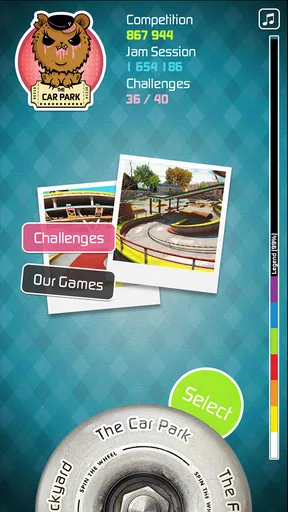
The game also boasts a variety of challenges and competitions. You can compete in different events, trying to rack up the highest scores with your slick tricks. It’s not just about looking good; it’s about proving you’ve got the skills to match.
Multiplayer Mode and Connectivity
If you’re feeling competitive, the multiplayer mode is where you’ll want to hang out. You can challenge friends or random opponents in head-to-head battles. It’s a great way to test your skills and learn new tricks from others. Plus, nothing beats the satisfaction of out-skating a buddy!
Connectivity is seamless, allowing you to easily share your achievements on social media. There’s something truly exhilarating about pulling off a sick combo and then boasting about it on Instagram or Facebook.
Final Thoughts
So, is the game worth your time? Absolutely. Whether you’re a seasoned skater or just someone looking for a fun way to pass the time, this app delivers an engaging experience. The combination of realistic physics, beautiful graphics, and competitive modes makes it a standout in the mobile gaming arena.
In short, grab your virtual board, hit the ramps, and let your fingers do the shredding. Happy skating!
Pros
- Intuitive touch controls enhance gameplay.
- Realistic physics provide an authentic feel.
- Variety of skate parks to explore.
- Customizable boards for personalization.
- Smooth graphics with fluid animations.
Cons
- Steep learning curve for beginners.
- Limited trick tutorials available.
- In-app purchases can be pricey.
- No online multiplayer mode.
- Occasional lag on older devices.
FAQs for Touchgrind Skate 2
What devices are compatible with Touchgrind Skate 2?
Touchgrind Skate 2 is available on both Android and iOS platforms. It is compatible with most modern smartphones and tablets. However, for optimal performance, it's recommended to have a device with at least 1GB of RAM and a multi-touch screen. Ensure your operating system is up-to-date to avoid compatibility issues.
Is Touchgrind Skate 2 free to play?
The game is free to download with optional in-app purchases available. These purchases can enhance gameplay by unlocking additional skateboards, parks, and customization features. While the core experience is accessible without spending money, some players opt for purchases to enrich their gaming experience.
Does Touchgrind Skate 2 require an internet connection?
Touchgrind Skate 2 can be played offline, allowing you to enjoy the game without an internet connection. However, certain features like online leaderboards and updates might require connectivity. It's perfect for gaming on the go without worrying about data usage.
What are the main features of Touchgrind Skate 2?
Touchgrind Skate 2 offers a realistic skateboarding experience with intuitive controls, allowing for a variety of tricks and combos. It features multiple skate parks, customizable boards, and global leaderboards. The game’s graphics are impressive, providing a visually engaging experience for skateboarding enthusiasts.
How do I improve my skills in Touchgrind Skate 2?
Improving skills in Touchgrind Skate 2 involves practice and familiarity with controls. Start by mastering basic tricks and gradually progress to more complex ones. Utilize the practice mode to perfect your moves. Watching tutorials and engaging with the online community can also provide valuable tips and strategies.


